Help & FAQ
Common questions, troubleshooting, and how to get help.
Common Questions
API Key
Q: I'm seeing "API Key not configured"
The AI will guide you through setup on first use. If you skipped it, set manually:
- Visit ListenHub API Key Settings
- Create or copy your API Key (starts with
lh_sk_) - Run:
export LISTENHUB_API_KEY="lh_sk_your_key_here" - Add the line to
~/.zshrcor~/.bashrcto persist
Q: Does the free plan support Skills?
Yes. All users can obtain an API Key from the API Key Settings page and use Skills.
Generation
Q: Generation is taking too long?
Podcasts typically take 2–3 minutes, explainer videos 3–5 minutes. If it exceeds 10 minutes, the server may be busy. Ask "ready yet?" anytime to check status, or resubmit.
Q: How do I improve generation quality?
A few directions:
- Be specific with topics ("Three core paradigm shifts in AI coding" works better than "AI coding")
- Specify mode:
deep(longer, detailed) orquick(concise) - Specify language explicitly in the request
- Use Two-Stage Podcast to review the script before audio generation
Q: Can I use my own script to generate a podcast?
Yes. Use the stage-two feature of Two-Stage Podcast to supply a custom script JSON and generate audio directly. Alternatively, use Multi-Voice Scripts for precise per-line voice assignment.
Images
Q: Must reference images be uploaded to an image host?
Yes. Reference images need a publicly accessible URL. Local file paths are not supported. Recommended free hosts: imgbb.com, sm.ms, postimages.org. Copy the direct link after upload (typically ending in .jpg or .png).
Q: Where are generated images saved?
~/Downloads by default, named listenhub-{date}-{time}-{id}.jpg.
Voices
Q: How do I see the available voice list?
Ask the AI directly — for example, "What English voices are available?" or "Show me the voice list." The AI will call the voice query API and return the full list.
Q: Can I use my own cloned voice?
If voice cloning has been completed on the ListenHub platform, the cloned voice will appear in the available voice list and can be used directly.
Common Errors
Error: Invalid JSON format
When using Speech multi-voice scripts or custom podcast scripts, ensure valid JSON structure:
{
  "scripts": [
    { "content": "Line content", "speakerId": "voice-id" }
  ]
}
curl: command not found or jq: command not found
Skills depend on curl and jq. In most cases the AI will install them automatically. If not, install manually:
# macOS
brew install curl jq

# Ubuntu/Debian
sudo apt install curl jq
Task stuck on "processing" for a long time
Possible causes: server queue or network timeout. Try:
- Wait 1–2 minutes and check the status again
- If it persists beyond 10 minutes, resubmit the generation request
General troubleshooting
If something unexpected happens, re-run the installation command first. It always pulls the latest version and may already include a fix:
npx skills add marswaveai/skillsAsk AI for Everything
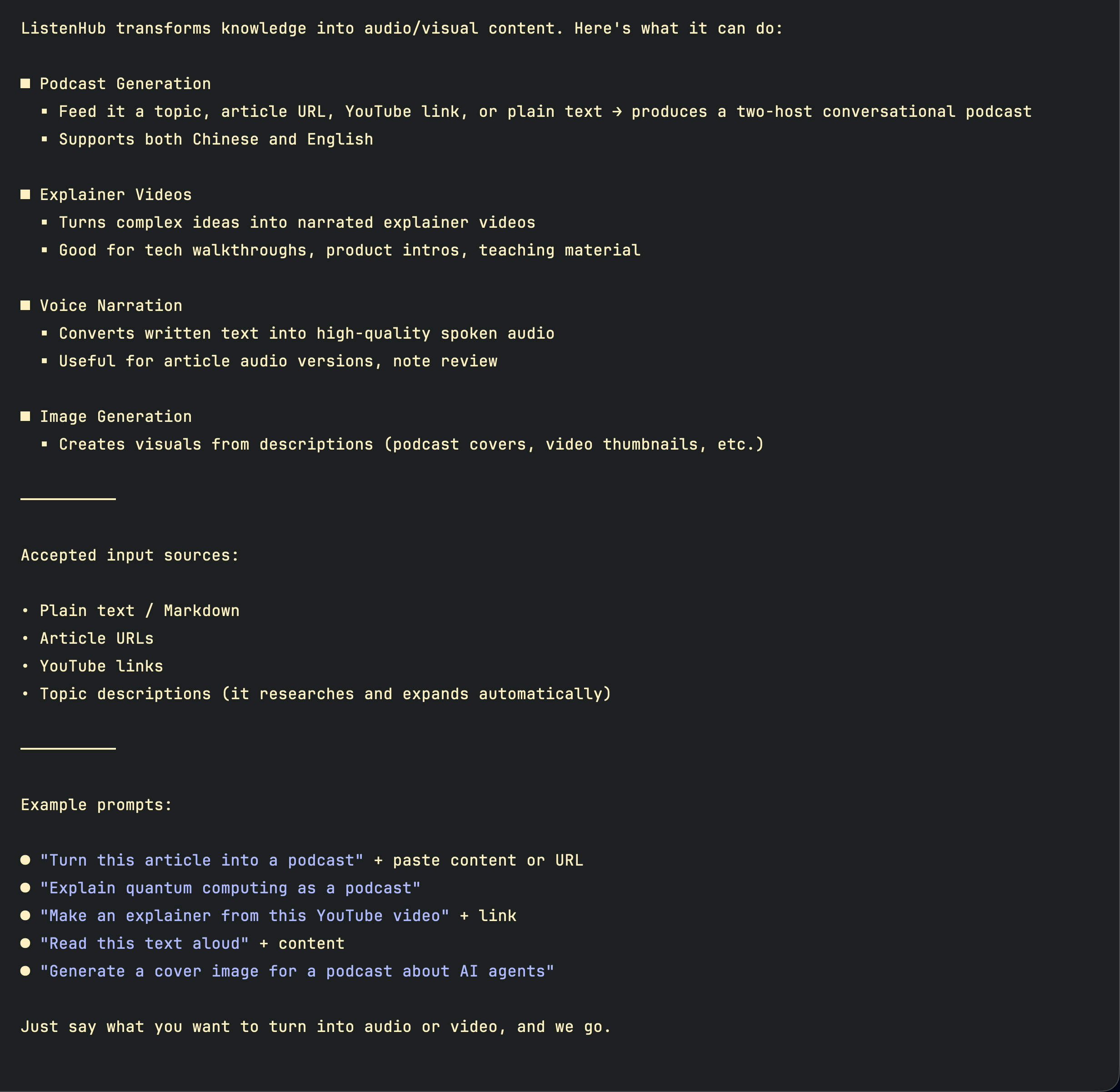
If the above doesn't cover the issue, ask in natural language. The AI knows everything ListenHub Skills can do:
"What can ListenHub do"
Contact Support
For further assistance, reach out to support@marswave.ai.